FacebookInstagramXWhatsApp
ExpatSaudi
ExpatSaudi

معلومات موثوقة للمقيمين الذين يعيشون ويعملون في المملكة العربية السعودية.

الشركة

  • من نحن
  • اتصل بنا

التصنيفات

  • التأشيرات والهجرة
  • تصريح الإقامة
  • العمل والتوظيف
  • الأسرة والمرافقون
  • القيادة والمواصلات

المصادر

  • جميع المقالات
  • أدوات السعودية
  • أرقام الطوارئ
  • تطبيقات مفيدة

قانوني

  • سياسة الخصوصية
  • شروط الاستخدام
  • إخلاء المسؤولية

© 2026 URExpat. جميع الحقوق محفوظة.

الخصوصية·الشروط

الرئيسيةالمقالاتالعمل والتوظيفHow to Check Your Employment Contract on Qiwa
العمل والتوظيفمحدّث2 دقيقة قراءة

How to Check Your Employment Contract on Qiwa

Find out how to check your employment contract on Qiwa and what to review before approving, rejecting, or requesting changes.

Devnex Logo

دیو نیکس

موثّق من الفريق

نُشر 25 أغسطس 2026 25 أغسطس 2026
Qiwa Contract Featured Image

محتويات المقال

How to Check Your Employment Contract on Qiwa1. Log in to Qiwa2. Choose Individual Account3. Open Services4. Select Employment Contracts5. Open Your Current Contracts6. Open Contract PreviewWhat Should You Check in Your Employment Contract?Salary and AllowancesJob DetailsContract DatesWorking ConditionsWhat If Something Is Wrong?

How to Check Your Employment Contract on Qiwa

Follow these steps to find your employment contract through your Qiwa Individual account.

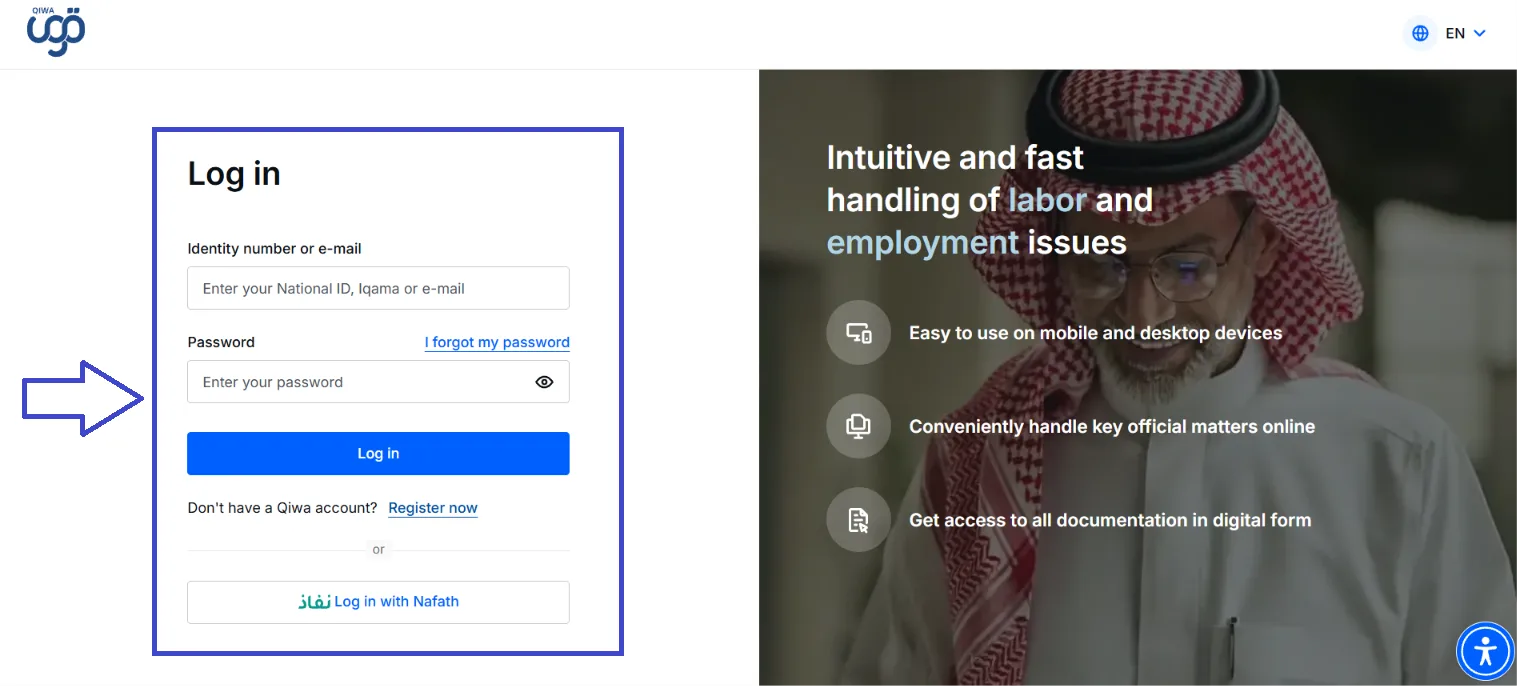
1. Log in to Qiwa

Open the official Qiwa website and log in using your National ID, Iqama, or email and password.

You can also log in through Nafath.
Qiwa Login Screen Image

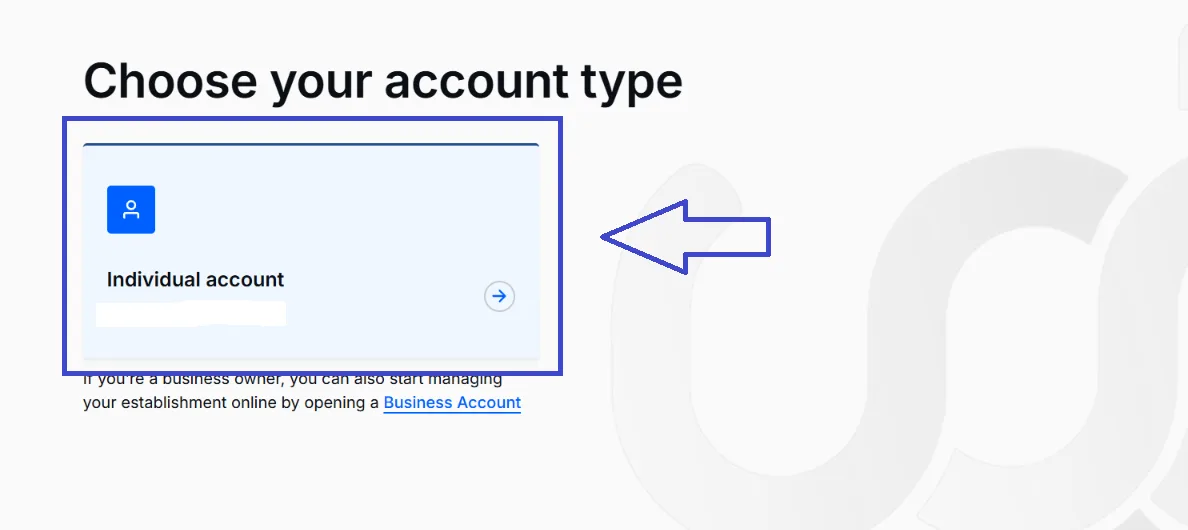
2. Choose Individual Account

After opening Qiwa, choose Individual Account to access your personal services.
Individual Screen Image

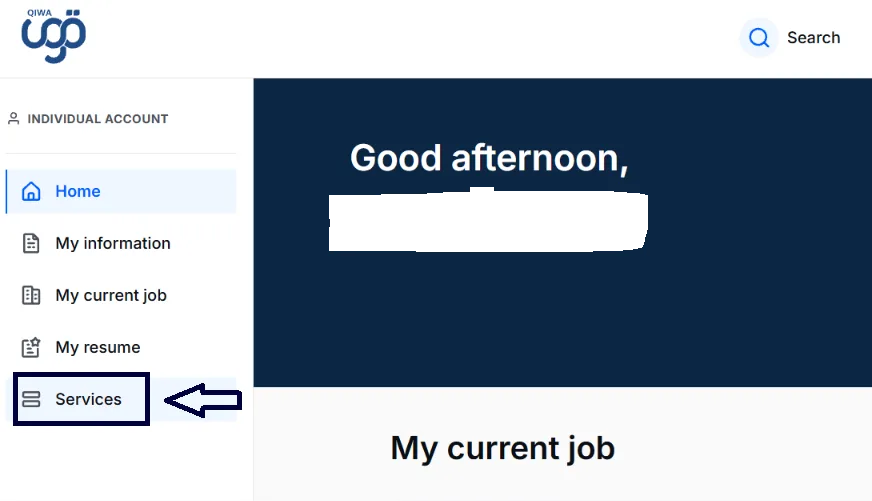
3. Open Services

Once you are logged in, select Services from the menu on the left side of your Qiwa account.
Services Screen Image

4. Select Employment Contracts

Under the Manage Employment section, select Employment Contracts.
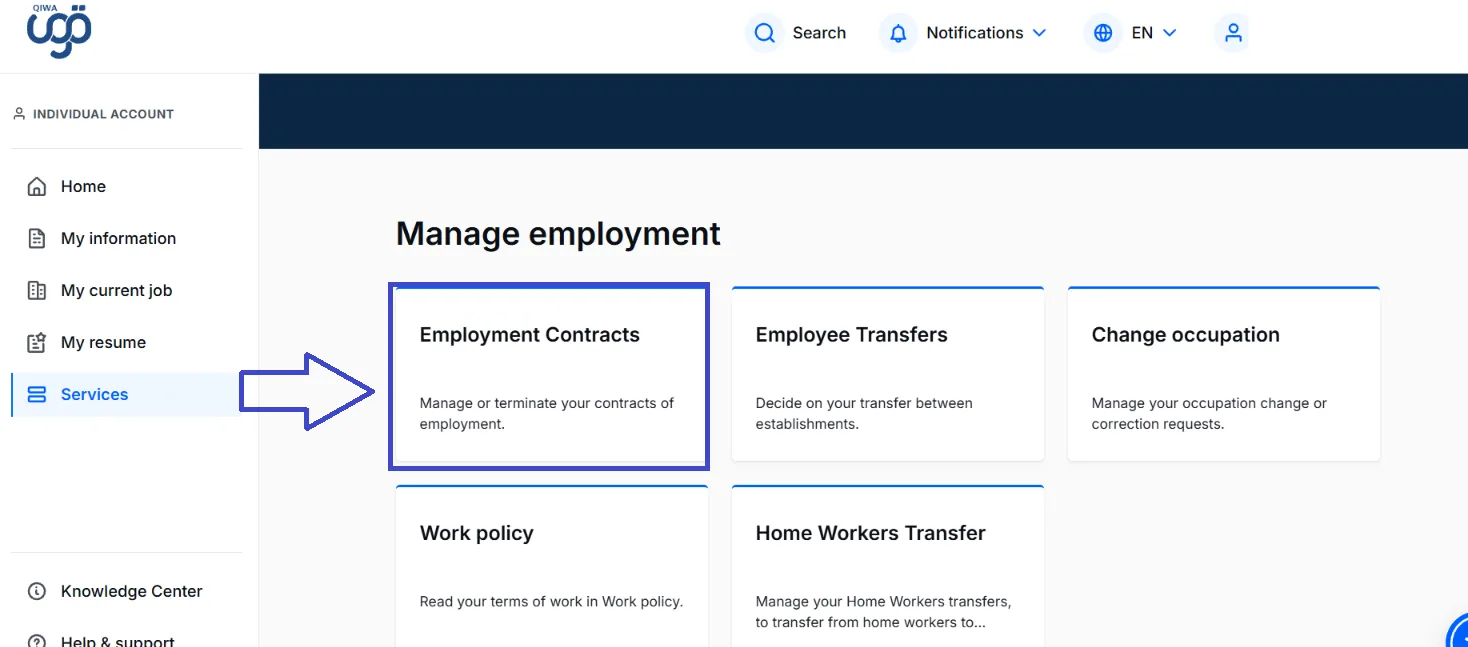
Employee Contract Screen Image

5. Open Your Current Contracts

On the Employment Contracts page, select Your current contracts.

You will see the contracts currently associated with your account.
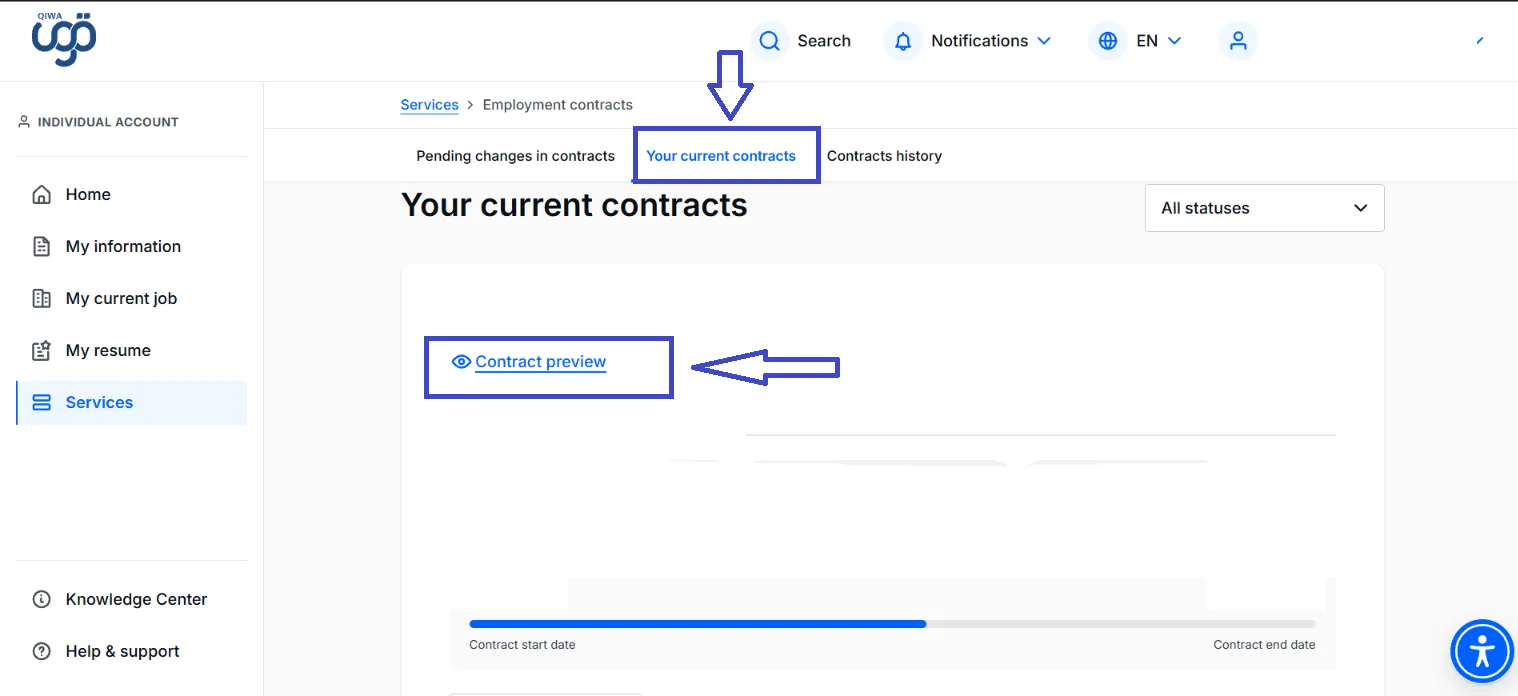
Contract Preview Screen Image

6. Open Contract Preview

Find the contract you want to check and select Contract preview.

You can then review the information included in your employment contract.

What Should You Check in Your Employment Contract?

Take a moment to review the information in the contract and make sure it matches your agreement with your employer.

Salary and Allowances

Check that your salary and any agreed allowances are correct.

Job Details

Make sure your job title and other employment information are accurate.

Contract Dates

Check the contract start date and, where applicable, the contract end date.

Working Conditions

Review the working hours and other terms included in the contract.

What If Something Is Wrong?

If you find information that does not match your agreement with your employer, do not ignore it.

Discuss the issue with your employer or HR department and use the available options in Qiwa if the contract needs to be amended, rejected, or reviewed.

روابط المصادر الرسمية

Ministry of Human Resources and Social Development (HRSD) — Contract ManagementMinistry of Human Resources and Social Development — Employment ContractsQiwa — Official Platform

شارك هذا المقال

ساعد الآخرين في الوصول إلى هذه المعلومات.

محتويات المقال

How to Check Your Employment Contract on Qiwa1. Log in to Qiwa2. Choose Individual Account3. Open Services4. Select Employment Contracts5. Open Your Current Contracts6. Open Contract PreviewWhat Should You Check in Your Employment Contract?Salary and AllowancesJob DetailsContract DatesWorking ConditionsWhat If Something Is Wrong?

مقالات ذات صلة

كيفية التحقق من تاريخ انتهاء الإقامة في السعودية (دليل 2026)

2 دقيقة قراءة

How to Check How Many SIM Cards Are Registered Under Your Iqama

2 دقيقة قراءة

كيفية التحقق من نوع وصلاحية وتفاصيل تأشيرة الخروج والعودة السعودية عبر الإنترنت (دليل 2026)

2 دقيقة قراءة