
Table of Contents
HEC Degree Attestation for Pakistani Citizens in Saudi Arabia 2026
If you are a Pakistani citizen living in Saudi Arabia and need to get your Pakistani university degree attested by HEC, you can start the process online through the HEC e-Services Portal.
The process begins with creating an HEC account or signing in, followed by completing the online degree-attestation application.
Step 1: Create an HEC Account or Sign In
Go to the HEC e-Services Portal
If you already have an account, enter your CNIC/Passport/POC and sign in.
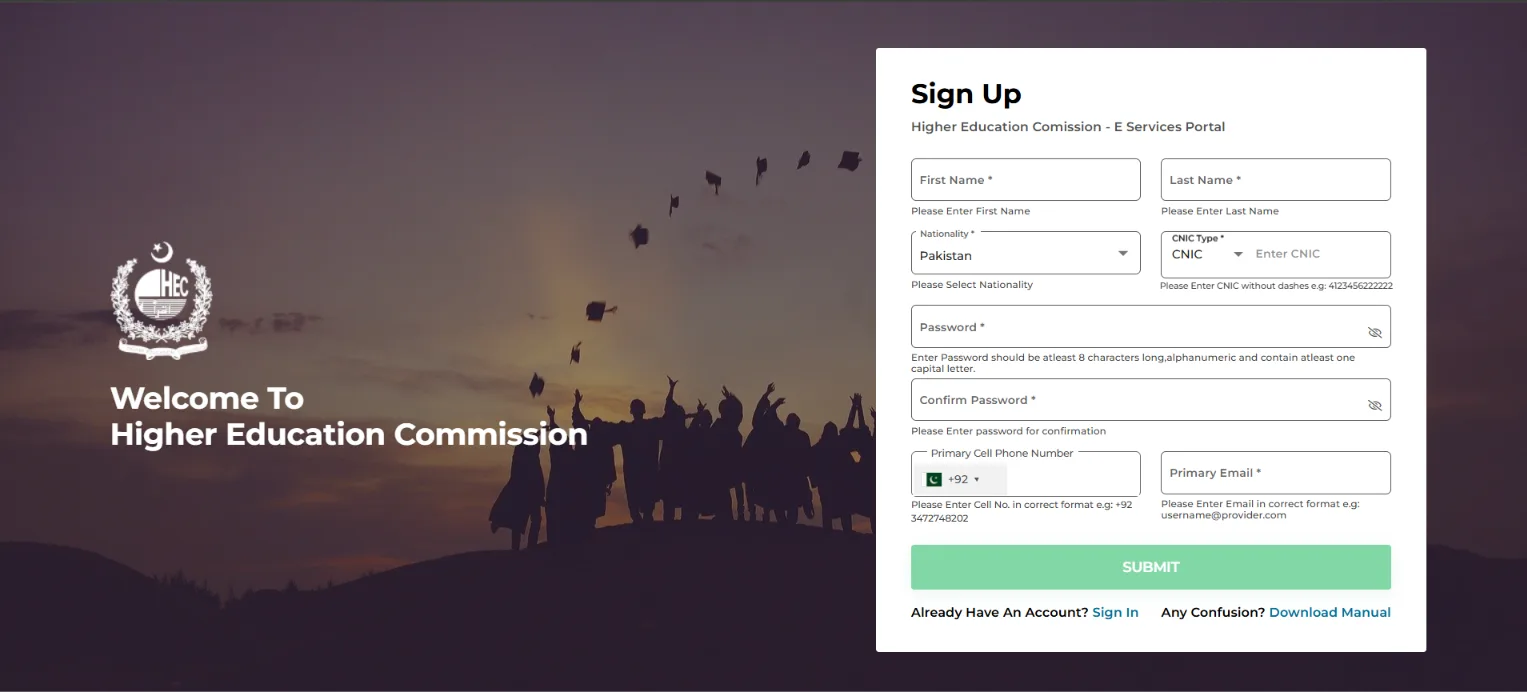
If you do not have an account, select Sign Up and provide your personal information, nationality, CNIC details, password, mobile number and email address.
HEC Login

HEC Sign Up
Step 2: Select Degree Attestation
After signing in to your HEC account, you will see the dashboard.
Select Degree Attestation from the left-side menu.
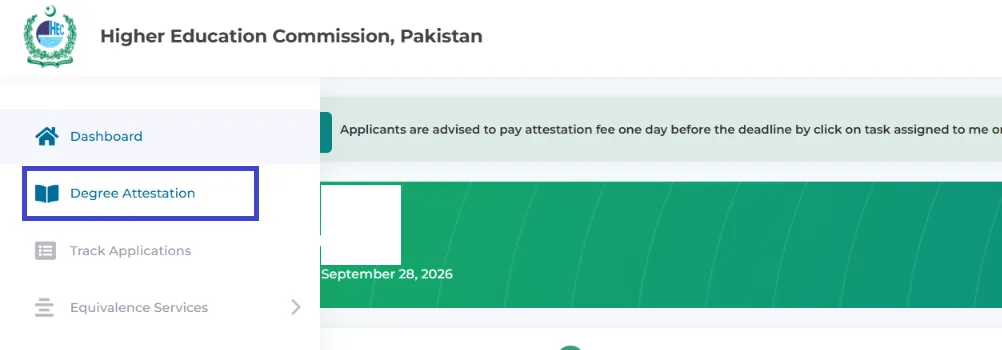
This will take you to the online degree-attestation application.
Step 3: Complete Personal Details
The application starts with 1 - Personal Details.
Enter your required personal information carefully and make sure the information matches your official documents.
The application process is divided into five stages:
- Personal Details
- Detail of Degree(s)
- Attestation Details
- Document Upload
- Verify Details
Application Steps

Step 4: Enter Details of Your Degree
Move to 2 - Detail of Degree(s).
Enter the information related to your university degree as requested by the HEC system.
Make sure the degree information is accurate and matches your original academic documents.
Step 5: Complete Attestation Details
Next, go to 3 - Attestation Details.
Select and provide the information required for the documents you want to have attested.
Review the details carefully before continuing.
Step 6: Upload Your Documents
In 4 - Document Upload, upload the documents requested by HEC.
Make sure your uploaded documents are clear and readable. Use the document requirements shown in your HEC application rather than uploading unnecessary files.
Step 7: Verify Your Application
The final stage is 5 - Verify Details.
Review all the information you entered, including:
- Personal details
- Degree information
- Attestation details
- Uploaded documents
Check everything carefully before submitting the application.
Step 8: Submit and Track Your Application
After verifying your information, submit the application through the HEC portal.
You can then use your HEC account to follow the status of your degree-attestation application and respond if HEC requires any additional information or action.
Important Tips for Pakistani Expats in Saudi Arabia
- Use the same personal information shown on your official documents.
- Check your degree and university details carefully.
- Upload clear and readable documents.
- Review the complete application before submitting it.
- Keep your HEC application details and payment information for your records.
- Check your HEC account regularly for application updates or remarks.
HEC Degree Attestation Process at a Glance
Create Account / Sign In → Degree Attestation → Personal Details → Degree Details → Attestation Details → Document Upload → Verify Details → Submit
Sources
- HEC Degree Attestation. HEC Degree Attestation
- HEC e-Services Portal. HEC e-Services Portal