FacebookInstagramXWhatsApp
URExpat
URExpat

سعودی عرب میں مقیم اور کام کرنے والے تارکینِ وطن کے لیے قابلِ اعتماد معلومات۔

کمپنی

  • ہمارے بارے میں
  • رابطہ کریں

زمرہ جات

  • ویزا اور امیگریشن
  • اقامہ اور رہائش
  • کام اور روزگار
  • خاندان اور انحصار کرنے والے
  • ڈرائیونگ اور ٹرانسپورٹیشن

وسائل

  • تمام مضامین
  • سعودی ٹولز
  • ہنگامی نمبرز
  • کارآمد ایپس

قانونی

  • پرائیویسی پالیسی
  • استعمال کی شرائط
  • دستبرداری

© 2026 URExpat. تمام حقوق محفوظ ہیں۔

پرائیویسی پالیسی·شرائط و ضوابط

ہوممضامینکام اور روزگارHow to Check Your Employment Contract on Qiwa
کام اور روزگاراپ ڈیٹ شدہ2 منٹ مطالعہ

How to Check Your Employment Contract on Qiwa

Find out how to check your employment contract on Qiwa and what to review before approving, rejecting, or requesting changes.

Devnex Logo

دیو نیکس

ٹیم سے تصدیق شدہ

شائع ہوا 25 اگست، 2026 25 اگست، 2026
Qiwa Contract Featured Image

مضامین کا جدول

How to Check Your Employment Contract on Qiwa1. Log in to Qiwa2. Choose Individual Account3. Open Services4. Select Employment Contracts5. Open Your Current Contracts6. Open Contract PreviewWhat Should You Check in Your Employment Contract?Salary and AllowancesJob DetailsContract DatesWorking ConditionsWhat If Something Is Wrong?

How to Check Your Employment Contract on Qiwa

Follow these steps to find your employment contract through your Qiwa Individual account.

1. Log in to Qiwa

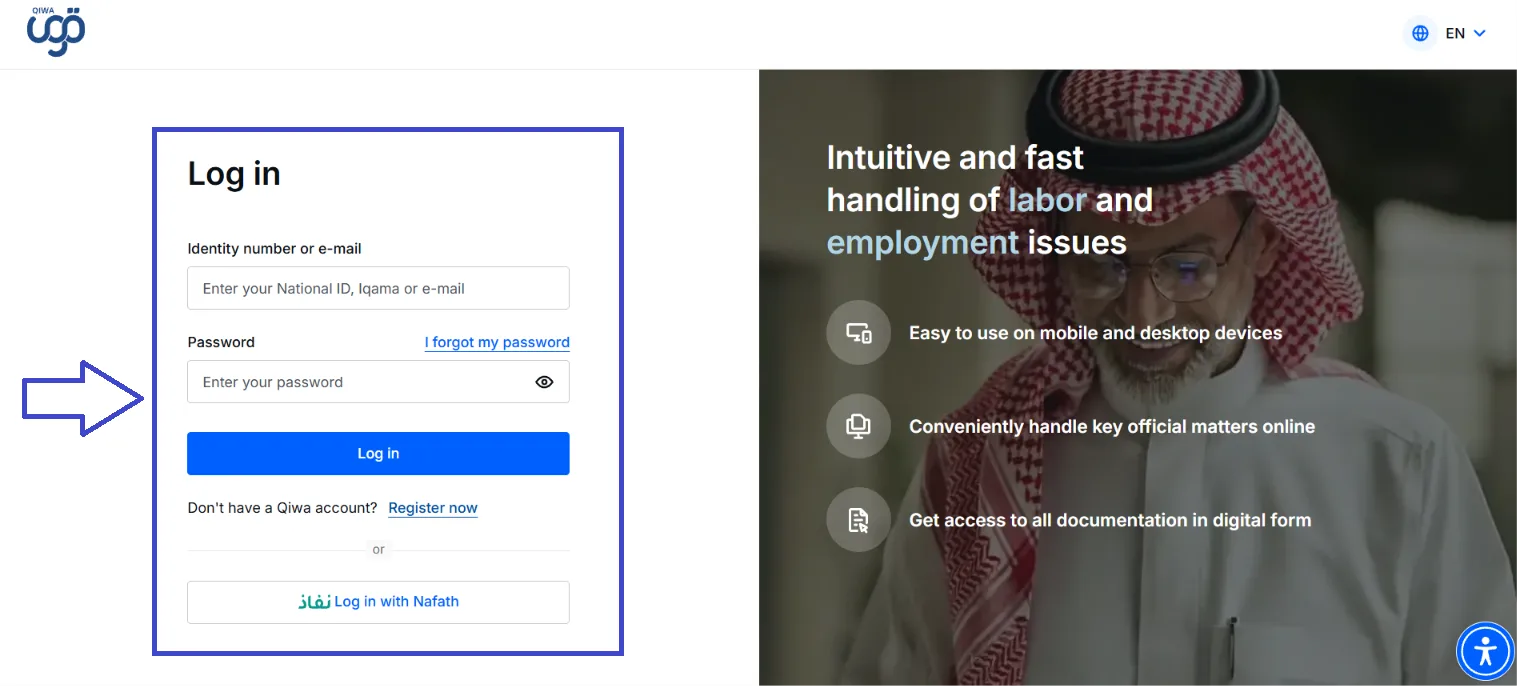
Open the official Qiwa website and log in using your National ID, Iqama, or email and password.

You can also log in through Nafath.
Qiwa Login Screen Image

2. Choose Individual Account

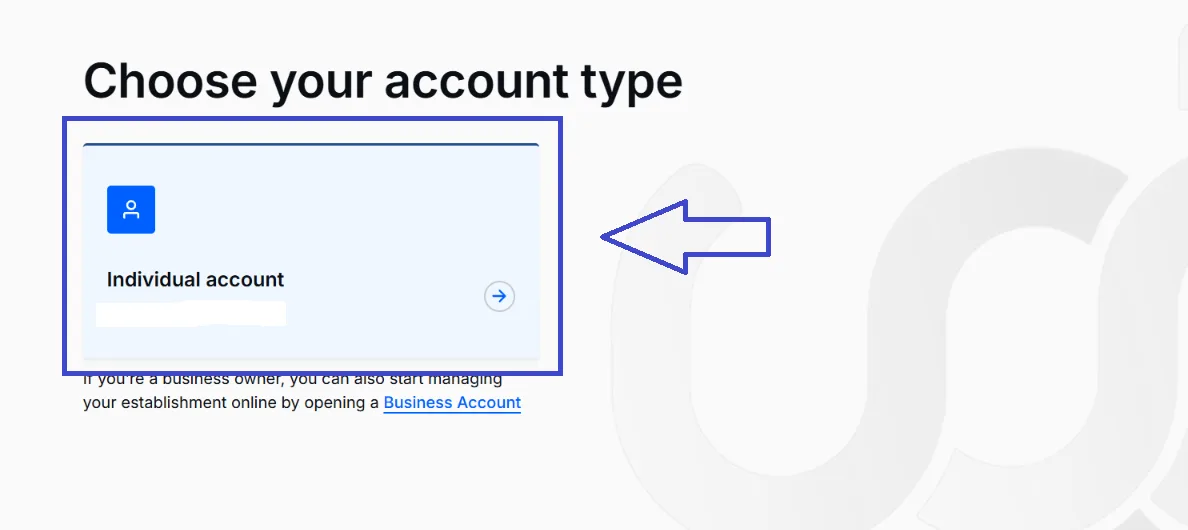
After opening Qiwa, choose Individual Account to access your personal services.
Individual Screen Image

3. Open Services

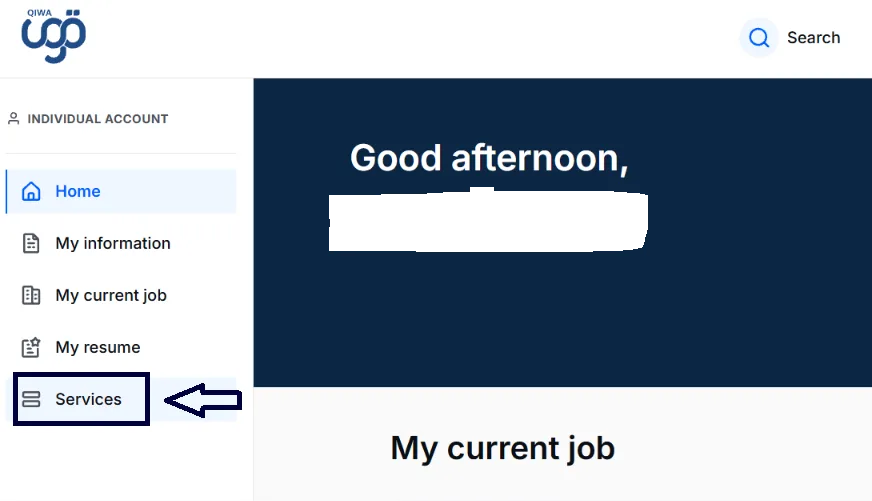
Once you are logged in, select Services from the menu on the left side of your Qiwa account.
Services Screen Image

4. Select Employment Contracts

Under the Manage Employment section, select Employment Contracts.
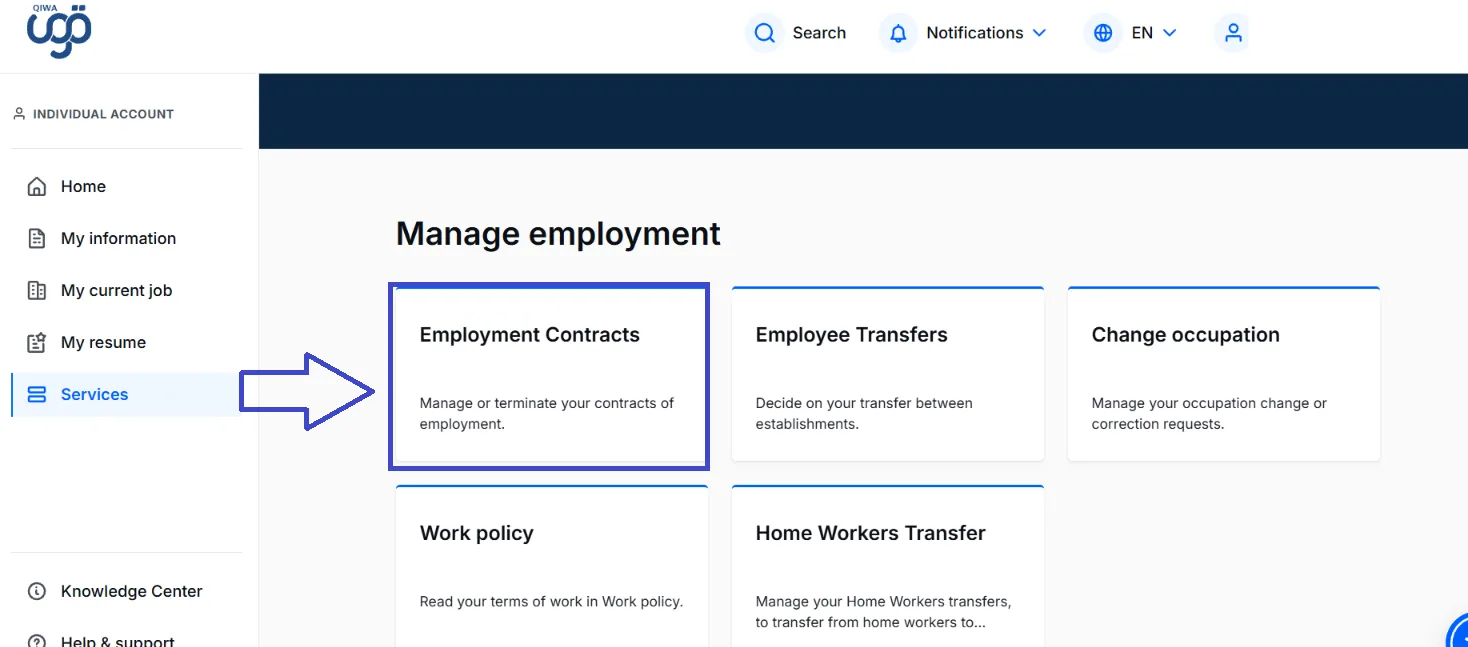
Employee Contract Screen Image

5. Open Your Current Contracts

On the Employment Contracts page, select Your current contracts.

You will see the contracts currently associated with your account.
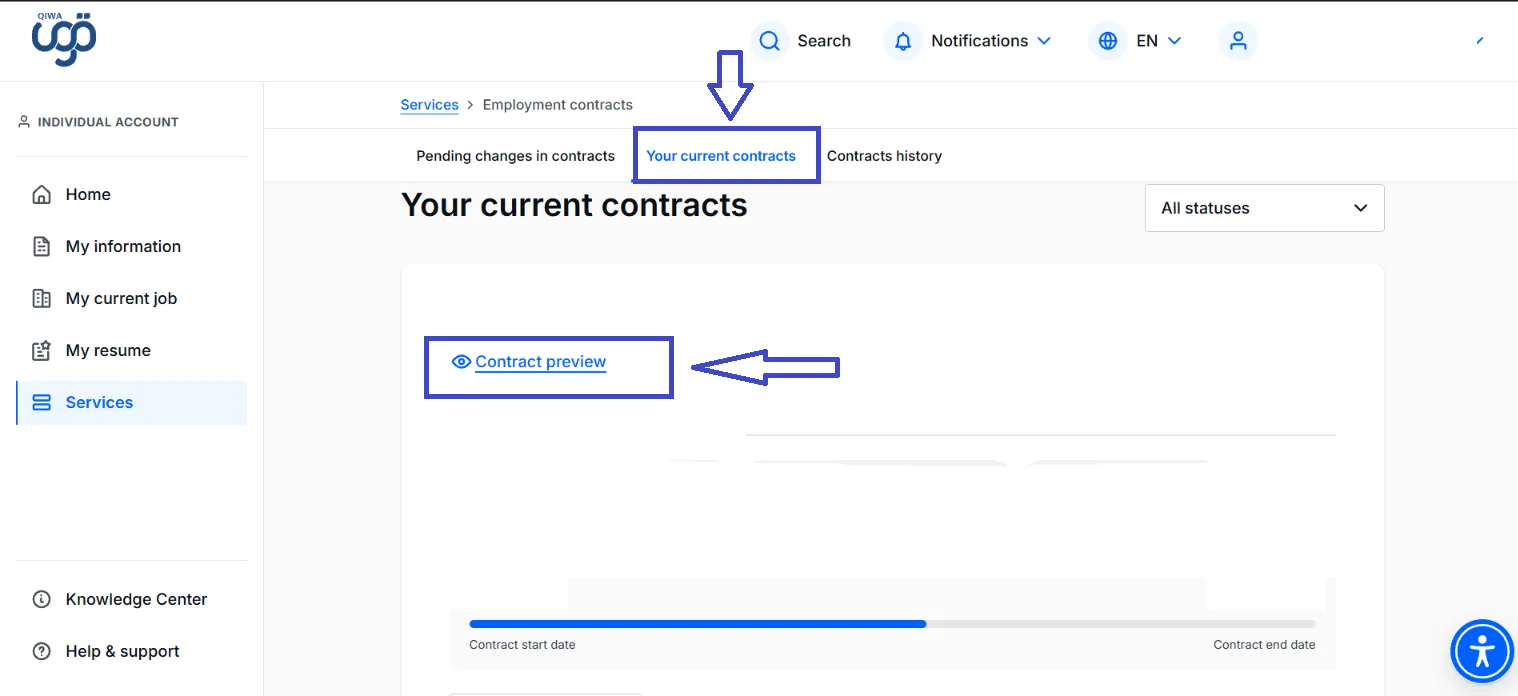
Contract Preview Screen Image

6. Open Contract Preview

Find the contract you want to check and select Contract preview.

You can then review the information included in your employment contract.

What Should You Check in Your Employment Contract?

Take a moment to review the information in the contract and make sure it matches your agreement with your employer.

Salary and Allowances

Check that your salary and any agreed allowances are correct.

Job Details

Make sure your job title and other employment information are accurate.

Contract Dates

Check the contract start date and, where applicable, the contract end date.

Working Conditions

Review the working hours and other terms included in the contract.

What If Something Is Wrong?

If you find information that does not match your agreement with your employer, do not ignore it.

Discuss the issue with your employer or HR department and use the available options in Qiwa if the contract needs to be amended, rejected, or reviewed.

سرکاری ذرائع کے لنکس

Ministry of Human Resources and Social Development (HRSD) — Contract ManagementMinistry of Human Resources and Social Development — Employment ContractsQiwa — Official Platform

یہ مضمون شیئر کریں

دوسروں تک یہ مفید معلومات پہنچانے میں مدد کریں۔

مضامین کا جدول

How to Check Your Employment Contract on Qiwa1. Log in to Qiwa2. Choose Individual Account3. Open Services4. Select Employment Contracts5. Open Your Current Contracts6. Open Contract PreviewWhat Should You Check in Your Employment Contract?Salary and AllowancesJob DetailsContract DatesWorking ConditionsWhat If Something Is Wrong?

متعلقہ مضامین

سعودی عرب میں اپنے اقامہ کی میعاد ختم ہونے کی تاریخ کیسے چیک کریں؟ (2026 گائیڈ)

2 منٹ مطالعہ

How to Check How Many SIM Cards Are Registered Under Your Iqama

2 منٹ مطالعہ

اپنے سعودی ایگزٹ/ری-انٹری ویزا کی قسم، درستگی، اور تفصیلات آن لائن کیسے چیک کریں (2026 گائیڈ)

2 منٹ مطالعہ