
Table of Contents
How to Check SIM Cards Registered Under Your Iqama
If you want to know how many SIM cards are registered under your Saudi Iqama, you can check them through the Tawakkalna app.
The process is simple and only takes a few steps.
Steps to Check Your Registered SIM Cards
1: Open Tawakkalna
If you already have the Tawakkalna app installed, simply open it. If you don't have it yet, download and install it on your smartphone:
2. Enter Your Details
Log in using your mobile number and Iqama ID.
3. Open Services
After logging in, go to the Services section in the Tawakkalna app.

4. Select Argami
Find and select Argami from the available services.
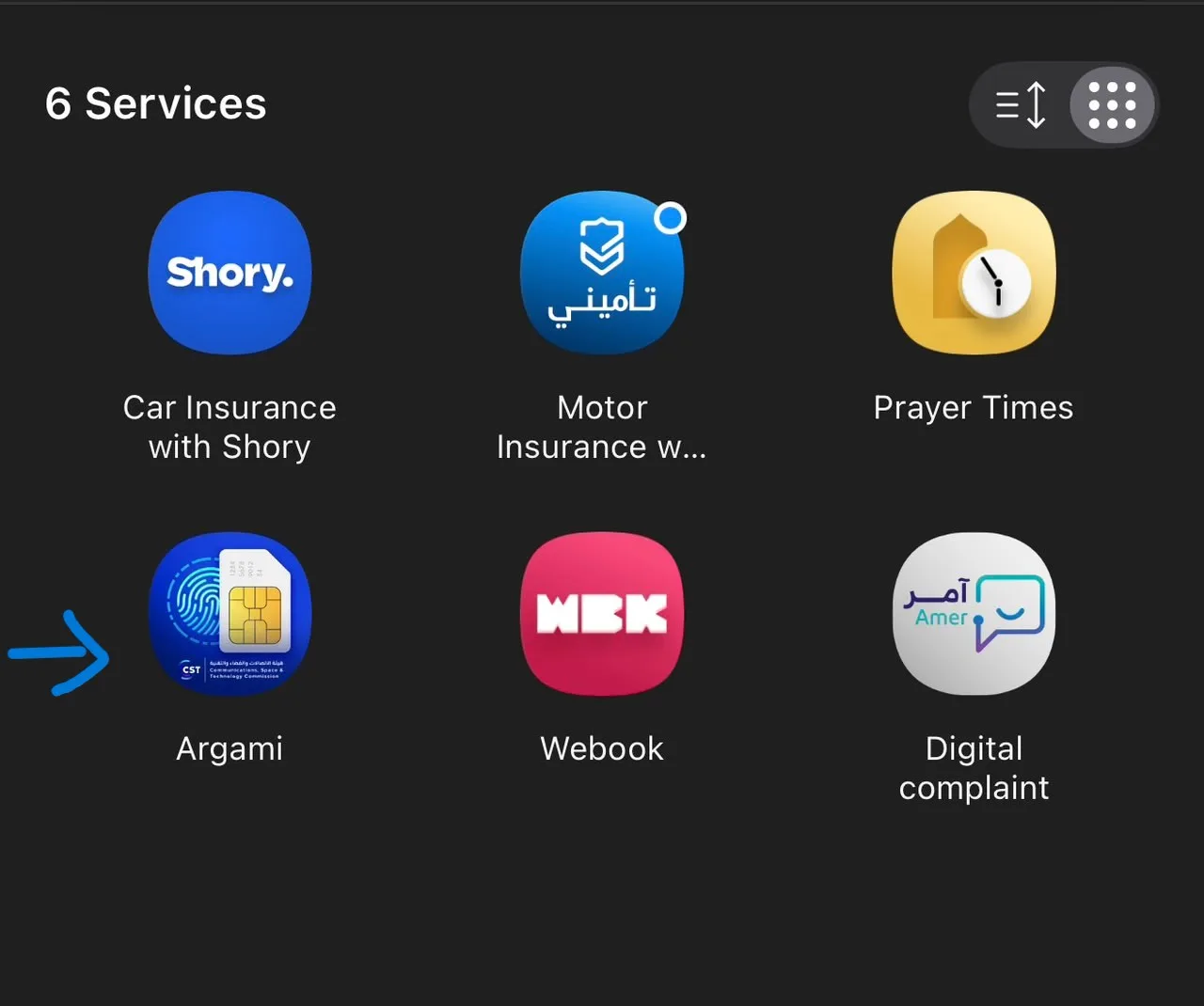
5. View Your Registered SIM Cards
The Argami service will show the mobile numbers and SIM cards registered under your Iqama.
You can use this service to check whether the numbers registered under your ID are familiar to you.
Why Should You Check Your Registered SIM Cards?
Checking your registered numbers can help you keep track of the SIM cards associated with your Iqama. If you notice a number that you do not recognize, you should contact the relevant telecom provider for assistance.