
Table of Contents
How to Check Your Employment Contract on Qiwa
Follow these steps to find your employment contract through your Qiwa Individual account.
1. Log in to Qiwa
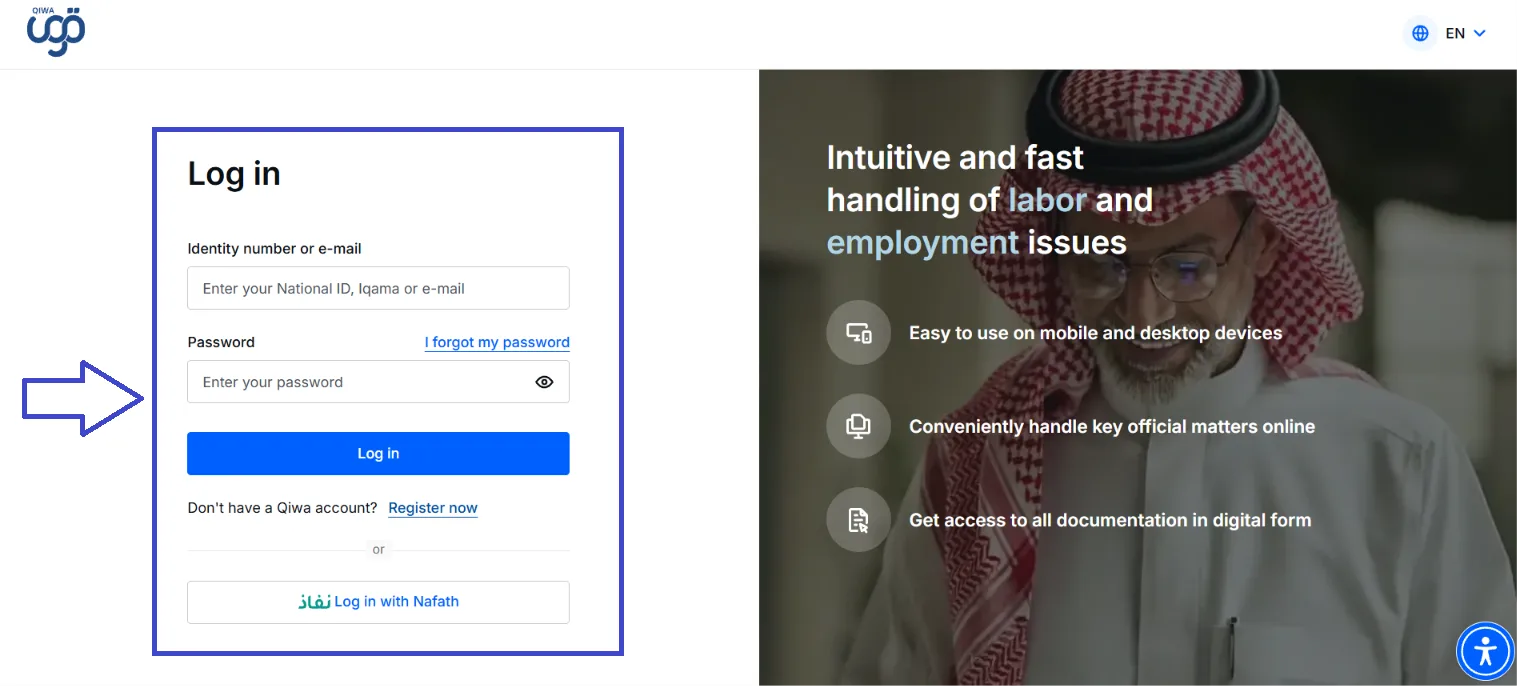
Open the official Qiwa website and log in using your National ID, Iqama, or email and password.
You can also log in through Nafath.
2. Choose Individual Account
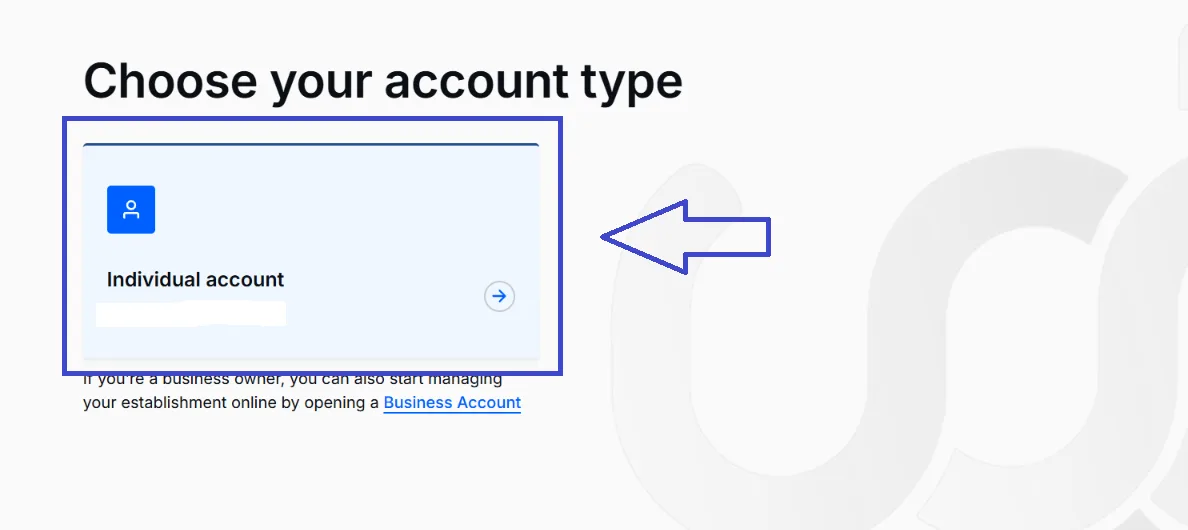
After opening Qiwa, choose Individual Account to access your personal services.
3. Open Services
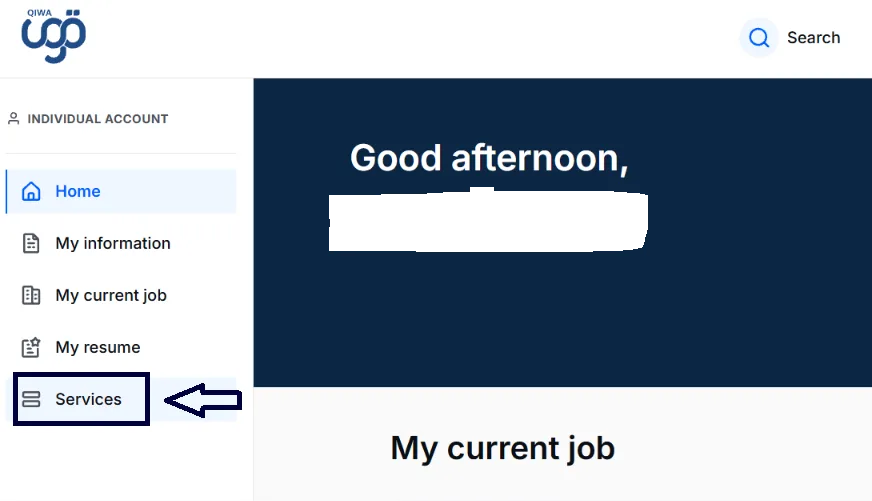
Once you are logged in, select Services from the menu on the left side of your Qiwa account.
4. Select Employment Contracts
Under the Manage Employment section, select Employment Contracts.
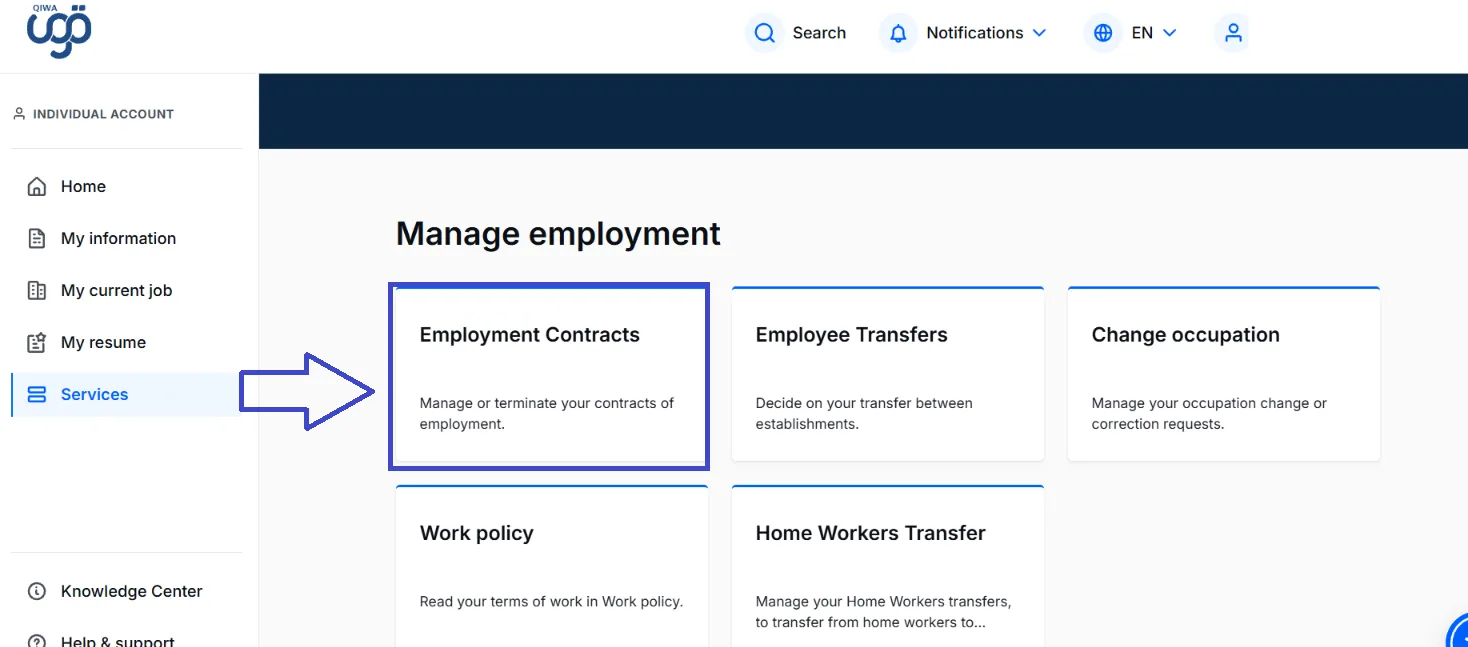
5. Open Your Current Contracts
On the Employment Contracts page, select Your current contracts.
You will see the contracts currently associated with your account.
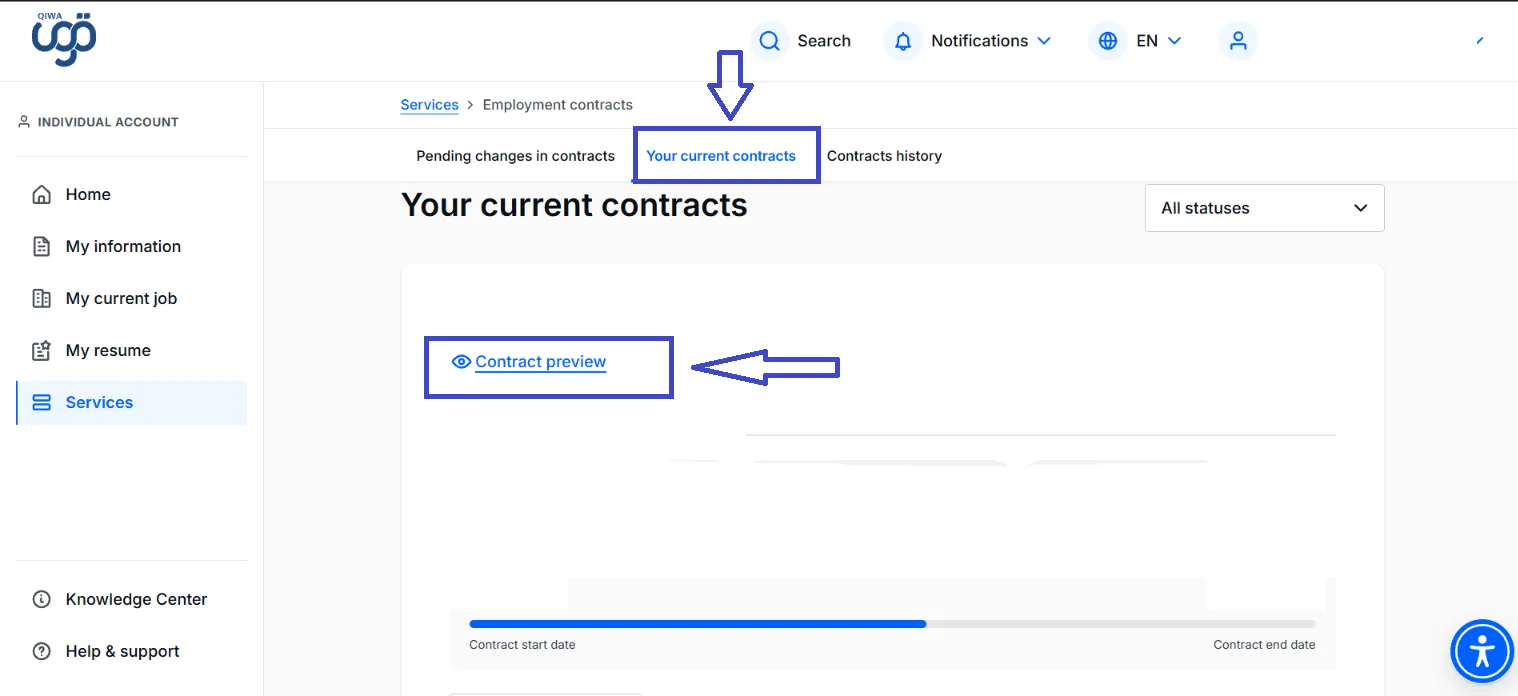
6. Open Contract Preview
Find the contract you want to check and select Contract preview.
You can then review the information included in your employment contract.
What Should You Check in Your Employment Contract?
Take a moment to review the information in the contract and make sure it matches your agreement with your employer.
Salary and Allowances
Check that your salary and any agreed allowances are correct.
Job Details
Make sure your job title and other employment information are accurate.
Contract Dates
Check the contract start date and, where applicable, the contract end date.
Working Conditions
Review the working hours and other terms included in the contract.
What If Something Is Wrong?
If you find information that does not match your agreement with your employer, do not ignore it.
Discuss the issue with your employer or HR department and use the available options in Qiwa if the contract needs to be amended, rejected, or reviewed.